Step-by-step guides that write themselves. So anyone knows exactly where to tap.
Do the task once on your phone. TapGuide turns every tap into a clear step with an annotated screenshot, ready to share as a PDF or help-center article in seconds.
Free. No account. Works in any Android app.
Everything you need, nothing you don't
- Works in any app
- No account
- No internet access
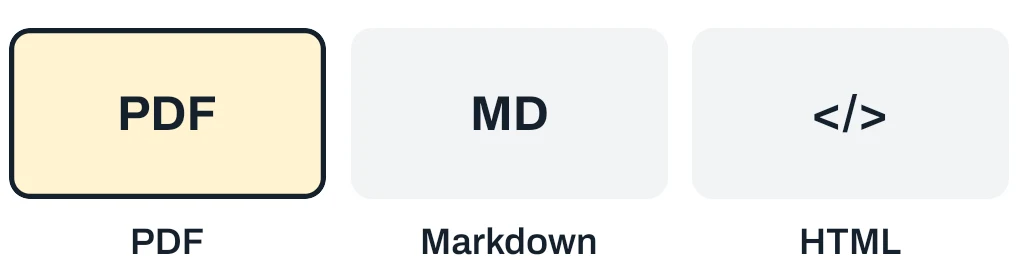
- PDF, Markdown, HTML
Capture work as it happens. Get know-how out of your head and into a guide anyone can follow.
-
Press Record, use any app as you normally would, press Stop. A small bubble shows the step count the whole time. Your guide is ready when you are.
-
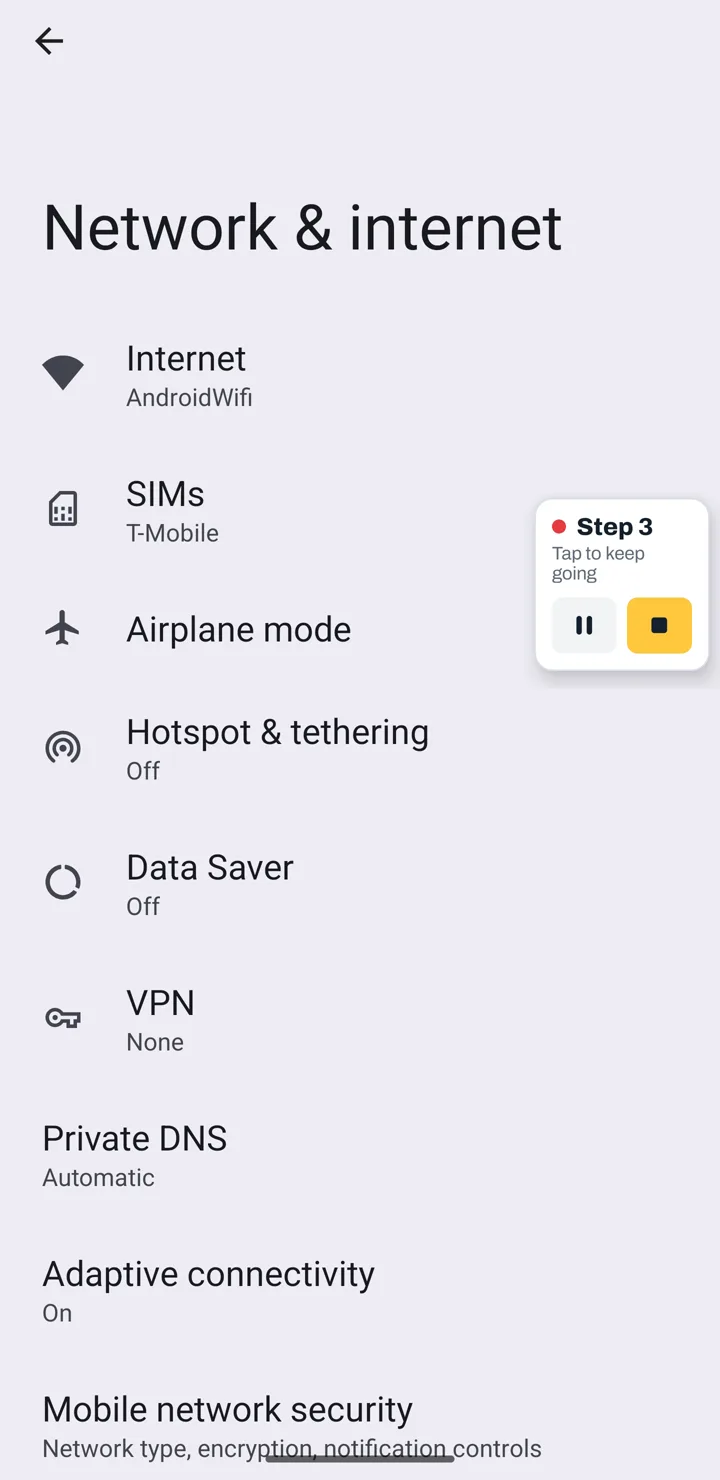
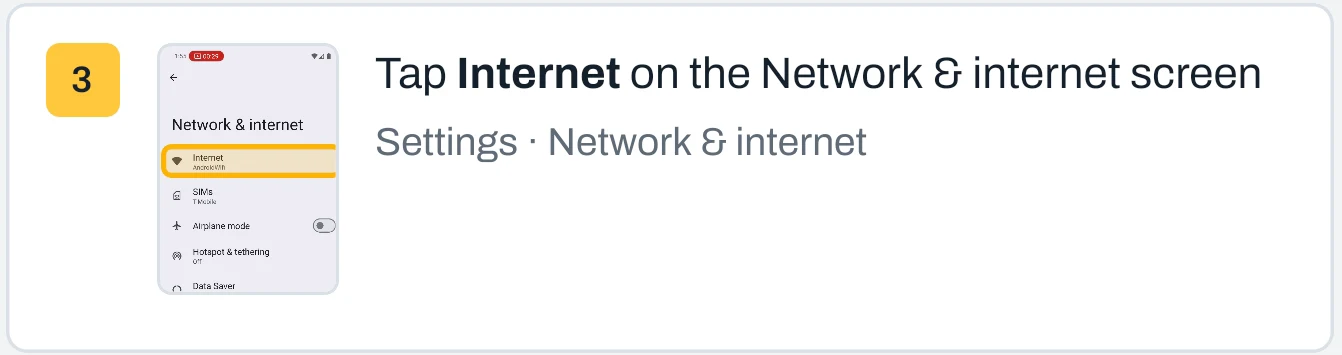
A screenshot from just before you tapped, the button highlighted, and the instruction already written: “Tap Internet on the Network & internet screen.”
-
Fields you type into become steps too. TapGuide saves the field name, never what you typed.
-
Password and PIN screens pause recording on their own and leave a placeholder step. Add any app to your block list and it is never recorded.
Polish it in seconds. Every guide is a draft you can shape, right on your phone.
-
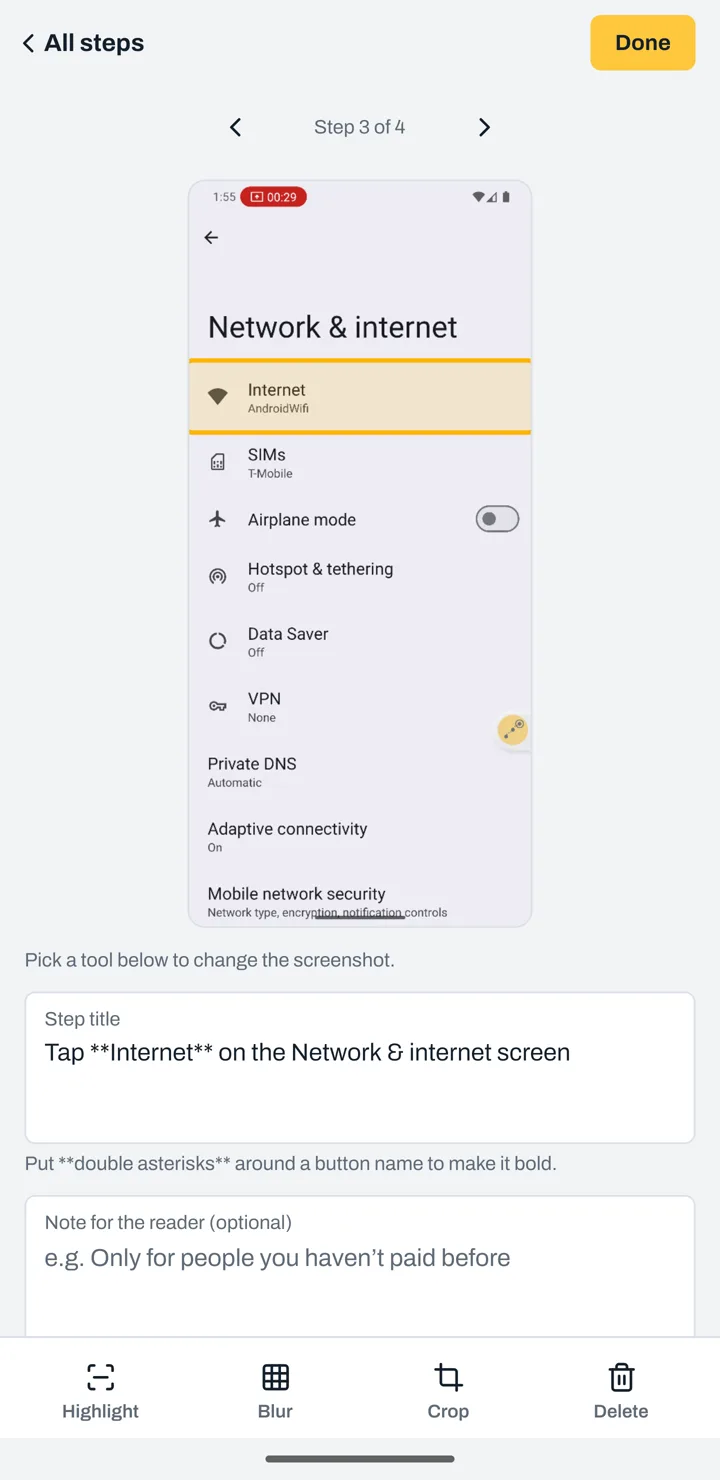
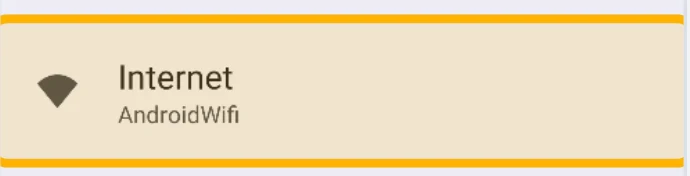
The button you tapped is highlighted for you. Move or resize the box when you want to point somewhere else.
-
Cover names, emails and account numbers. The blur is burned into every image you export, so nothing underneath can be recovered.
-
Drag steps into place, merge two into one, fix the wording, add a note for the reader, or add a screenshot of your own.
-
Rewrite steps and add a short intro in one tap. Coming soon, as an option you choose.
Deliver in every format. Everyone gets the right guide, in the right tool.
-
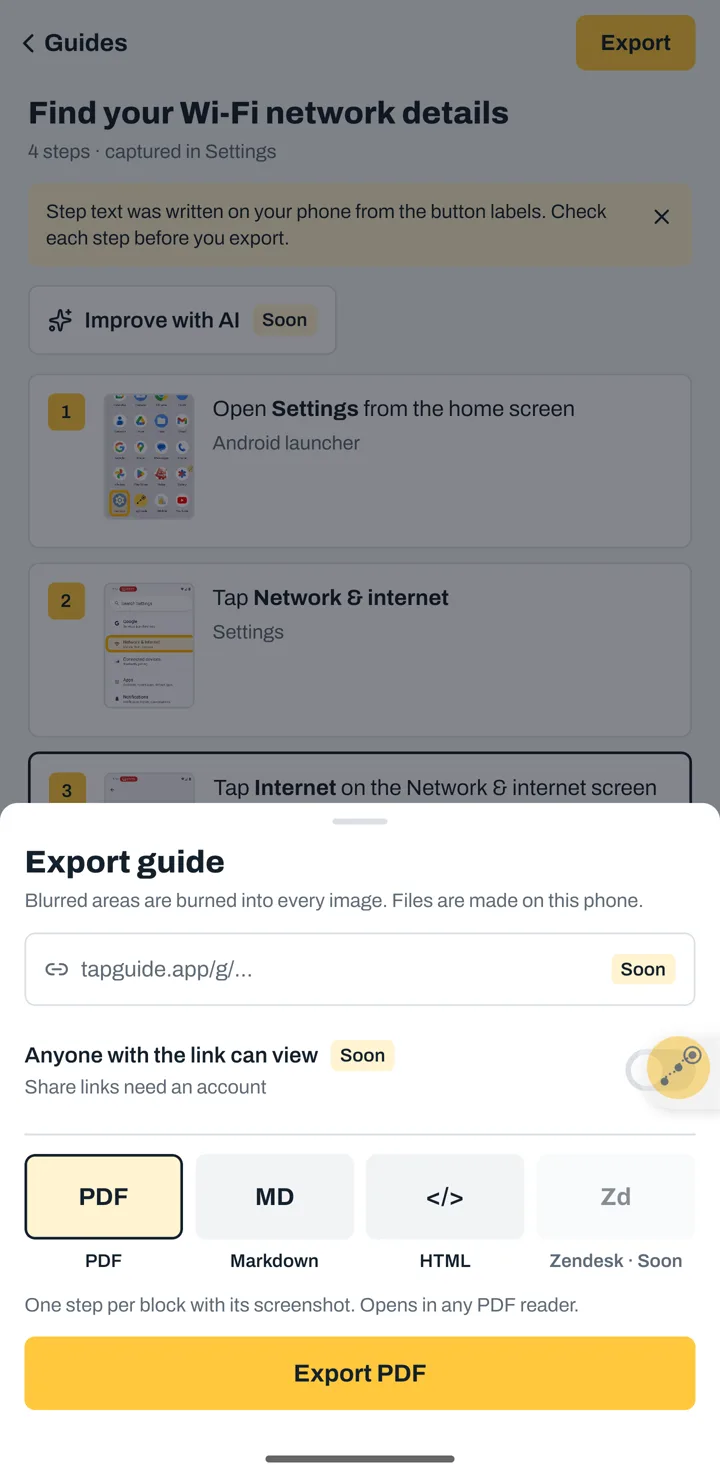
One step per block with its screenshot. Opens in any PDF reader.
-
A .zip with the document and an images folder, ready to paste into Zendesk, Intercom, Notion or Confluence.
-
Files open in Android's share sheet: send them by email, chat, or save them to your drive.
-
A private link to a mobile-friendly guide page. Coming soon.
Guide people as they work. Three steps, and the hardest one is doing the task.
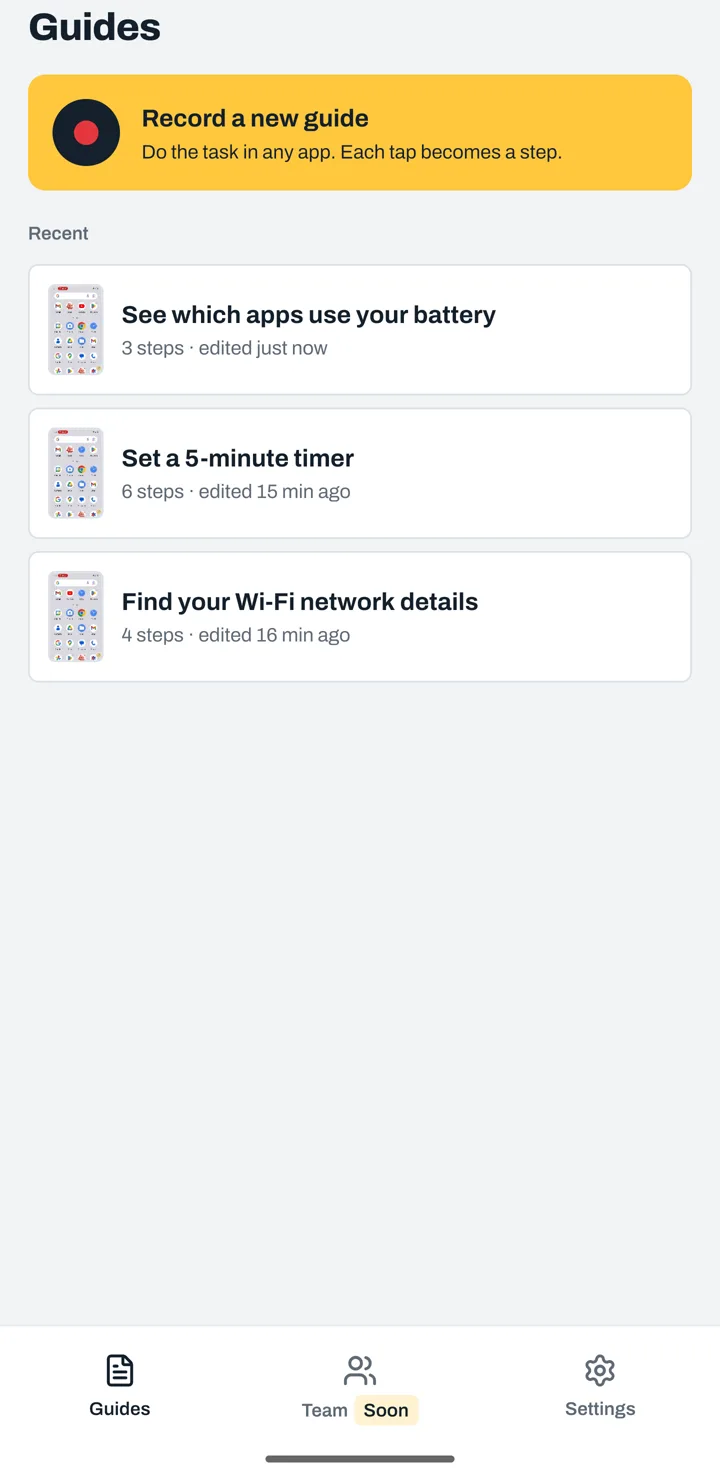
1Press Record
Name the guide if you like, then leave TapGuide and open the app you want to explain.
2Do the task once
Each tap becomes a step with its screenshot. Pause or stop from the bubble or the notification.
3Check it and share
Fix a word, blur a detail, then export to PDF, Markdown or HTML.
Private by default. Your guides never touch our servers, because there aren't any.
Every team. Any how-to.
Built for every workflow
- Train your teamon the apps they use every day
- Onboard new hireswith steps they can follow alone
- Roll out new appsand show the change in one guide
- Write SOPsand work instructions
Made for every team
- Customer supportanswer “how do I…?” with a guide
- IT and helpdeskdevice setup, settings, access
- Operations and field teamsfrontline how-tos
- Family and friendsphone help, once and for all
Privacy, built in.
Read the privacy policy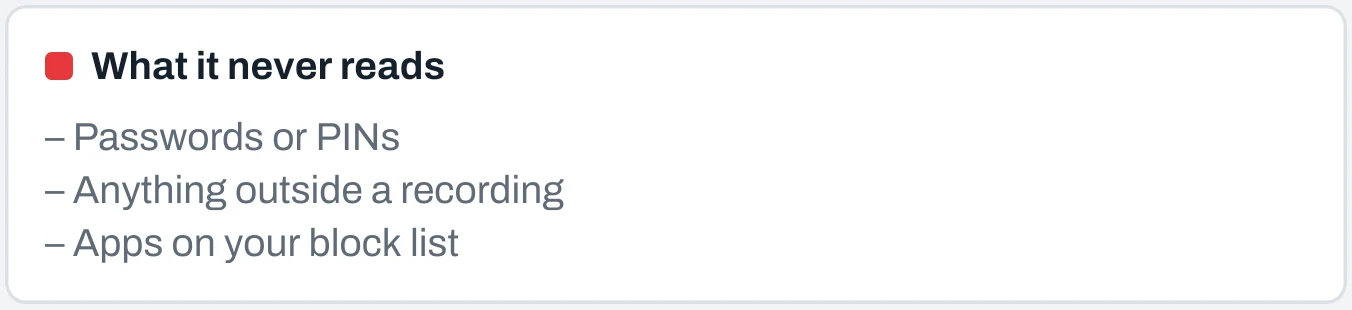
Protect sensitive data
Password and PIN screens pause recording. Typed text is never saved. Blur is burned into every export.
Nothing leaves your phone
No account, no cloud, no ads, no analytics. Guides leave only as a file you choose to export.
Always visible, never hidden
Recording runs only between Record and Stop, with a notification and a bubble on screen the whole time.
Questions, answered.
How do I make a step-by-step guide on Android?
Open TapGuide and press Record. Do the task once in any app, then press Stop. Each tap becomes a step with a screenshot, the tapped button highlighted and the instruction written for you. Check the steps, then export to PDF, Markdown or HTML. Read the full guide.
Does TapGuide work in any app?
Yes. TapGuide records in any Android app, including Settings, except password and PIN screens, which pause recording, and apps you put on your block list.
Is TapGuide free?
Yes. TapGuide is free on Google Play and needs no account.
Is TapGuide a Scribe alternative for Android?
Yes. Desktop tools like Scribe and Tango capture clicks in a web browser. TapGuide does the same for taps on an Android phone: it captures each tap with its screenshot and writes the step for you, on the phone, without an account. See how they compare.
Which formats can I export?
PDF for email, print and chat, and Markdown or HTML with an images folder for help centers such as Zendesk, Intercom, Notion or Confluence.
Does TapGuide upload my screenshots?
No. TapGuide has no internet permission, so it cannot send anything. Guides stay on your phone until you export a file and choose where to send it.
Why does TapGuide need the Accessibility service?
To know which button you tapped and what it is called, so it can write each step. It uses it only while you are recording, and never reads passwords, PINs or what you type.
Do it once.
Share it forever.
TapGuide is free on Android. Questions? [email protected]