TapGuide / Scribe alternative for Android
A Scribe alternative for Android
Scribe and Tango made step-by-step guides easy on a computer: click through a task and the guide writes itself. TapGuide brings the same idea to Android phones, where those tools can’t follow your taps.
Why desktop guide tools stop at the phone
Desktop guide tools capture your clicks through a browser extension or a desktop app. On a phone there is no extension that can see taps in other apps, so the automatic part goes away.
Scribe’s answer for phones is to take a screenshot before each tap and upload the screenshots to build the guide. It works, but you are back to doing the capturing by hand.
TapGuide is an Android app, so it can follow your taps in any app and capture each one as it happens.
How they compare on a phone
| Desktop guide tools (Scribe, Tango) | TapGuide | |
|---|---|---|
| Built for | Web and desktop apps, through a browser extension or desktop app | Any Android app, on the phone |
| Capturing a phone task | Take screenshots by hand and upload them | Automatic: press Record, do the task, press Stop |
| Step text | Written from what you clicked | Written from the label of the button you tapped |
| Account | Required | None |
| Where guides are stored | The vendor’s cloud | Your phone, until you export |
| Sharing | Share links and exports, depending on the plan | PDF, Markdown and HTML files |
| Price | Free and paid plans | Free |
What TapGuide captures for each tap
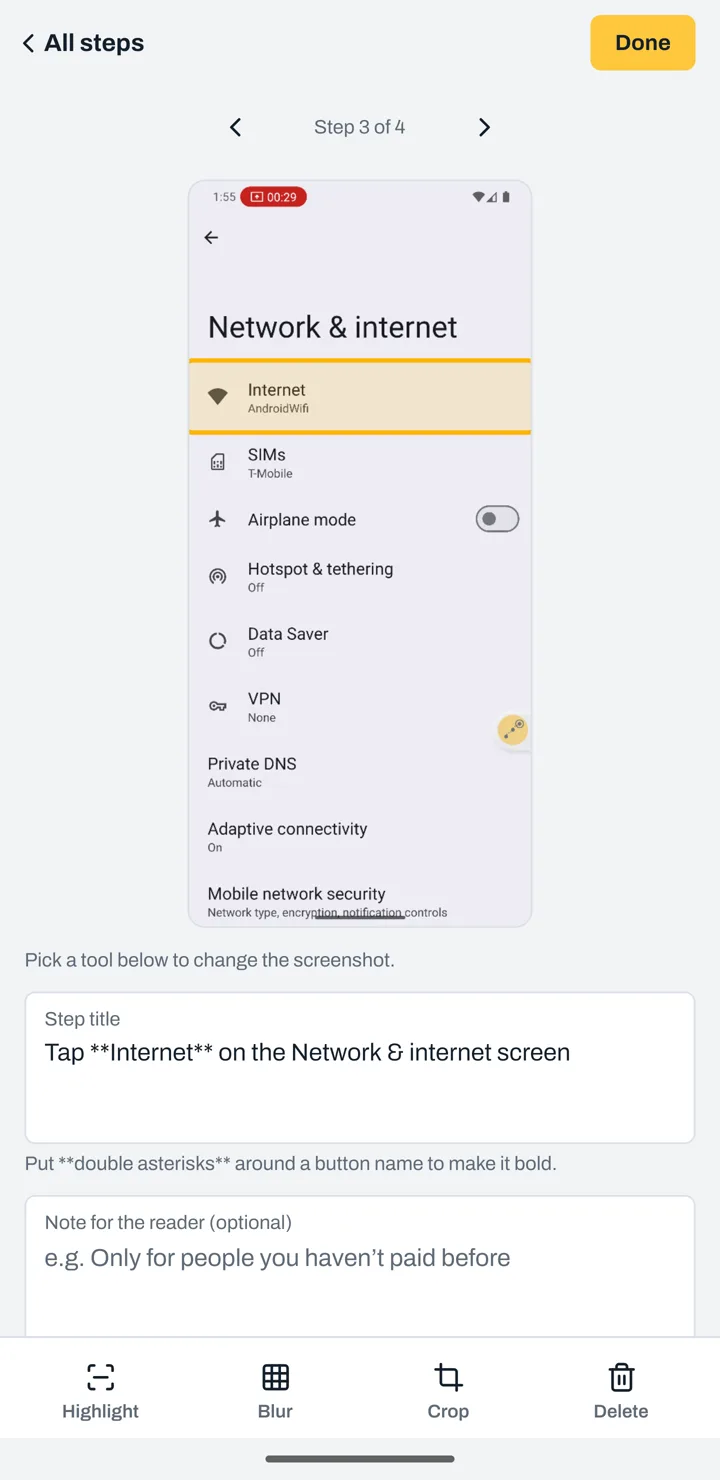
- A screenshot from just before you tapped.
- The button you tapped, highlighted.
- The instruction, written for you: “Tap Internet on the Network & internet screen.”
- Fields you type into, as their own step, with the field’s name but never what you typed.
Which one should you use?
If the process happens in a browser on a computer, a desktop tool like Scribe or Tango is built for it.
If the process happens on a phone, TapGuide is the faster way: mobile apps your team uses in the field, phone settings, device setup for new hires, or helping a customer or a relative with their phone.
You can also use both. Export a TapGuide guide as Markdown or HTML and paste it into the same knowledge base as your desktop guides, such as Notion, Confluence, Zendesk or Intercom.
Private by design
TapGuide has no internet permission, so screenshots of internal apps never leave the phone unless you export them. Password and PIN screens pause recording, and any app can be put on a block list.
Try it on your next task
TapGuide is free on Android 8.0 and later. No account, no internet access.
Get it on Google Play